
Jewelry Product Photos: What Front, Detail and Worn Views Should Explain
Build a useful photo brief for your jewelry store: show the design, reveal construction and add wearing context without inventing specifications.

Choose each product photograph for a question it answers. A front view can explain the motif, an angled detail can reveal structure, and a worn view can add context. Repeating similar close-ups does not necessarily fill the gaps. For retailers preparing an online listing, start with the information your buyer needs before choosing the image order.
Front view: make the design recognizable
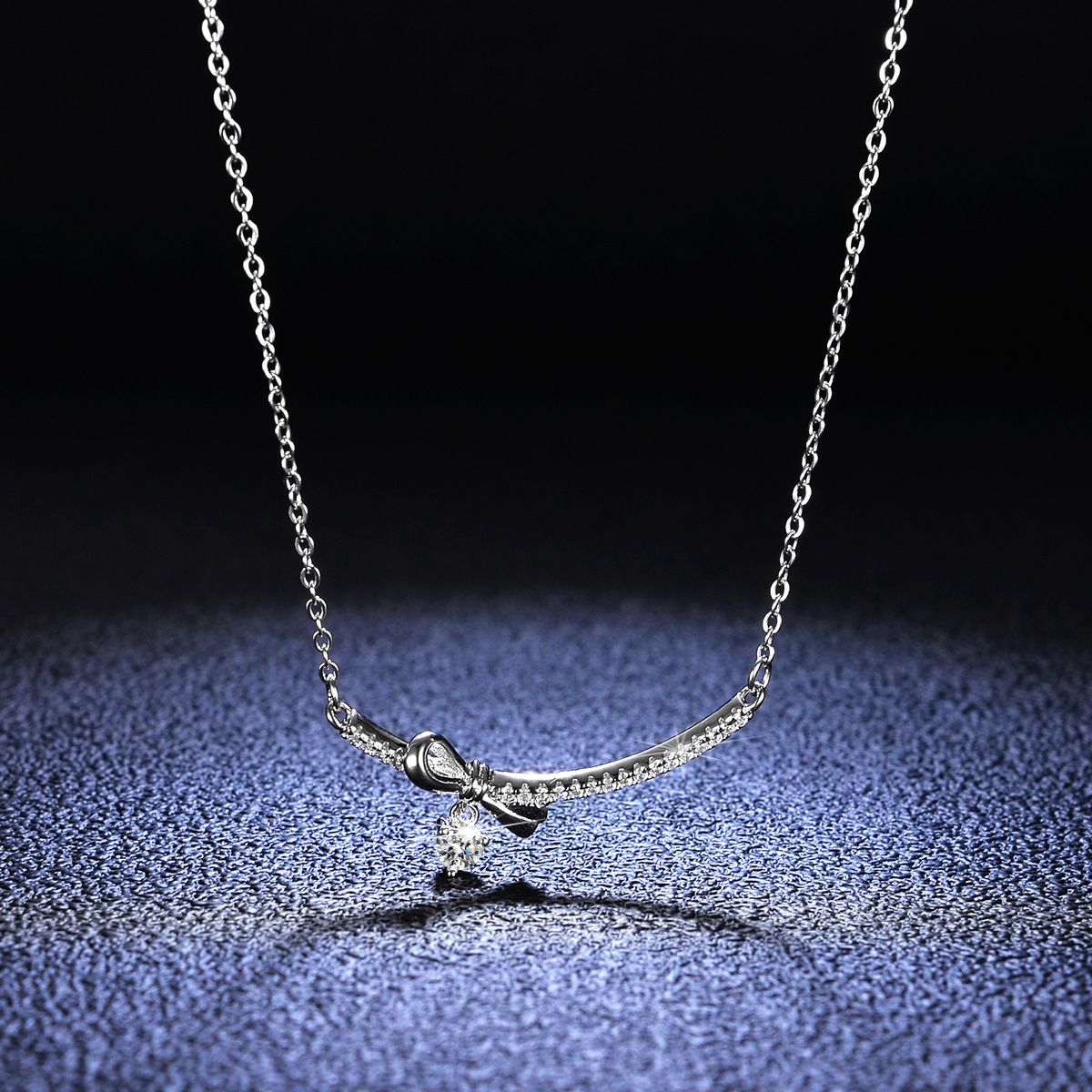
In this bow necklace photograph, the chain and bow-shaped centerpiece can be read together. Use a view like this to identify the design before moving to a tight crop. Ask for the full chain and closure in another image if they matter to the listing; a visible segment does not establish total length.
Angled detail: reveal what the front hides
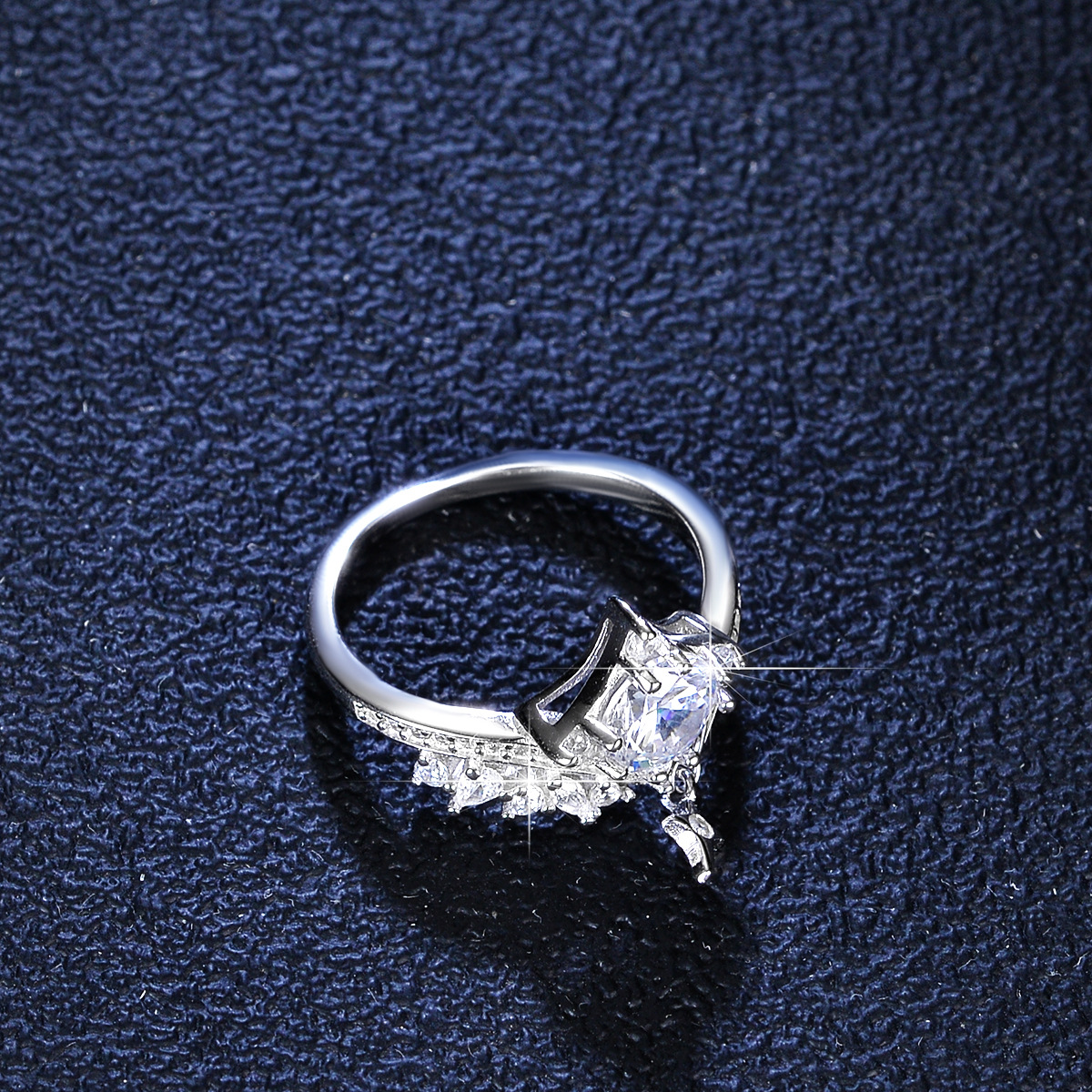
The star charm ring illustrates why another angle can be useful: the band and setting structure are visible together. A separate back or side photograph can answer a question the main view leaves open. Do not infer setting height, adjustment range or comfort from perspective alone.
Worn view: add context, then verify fit
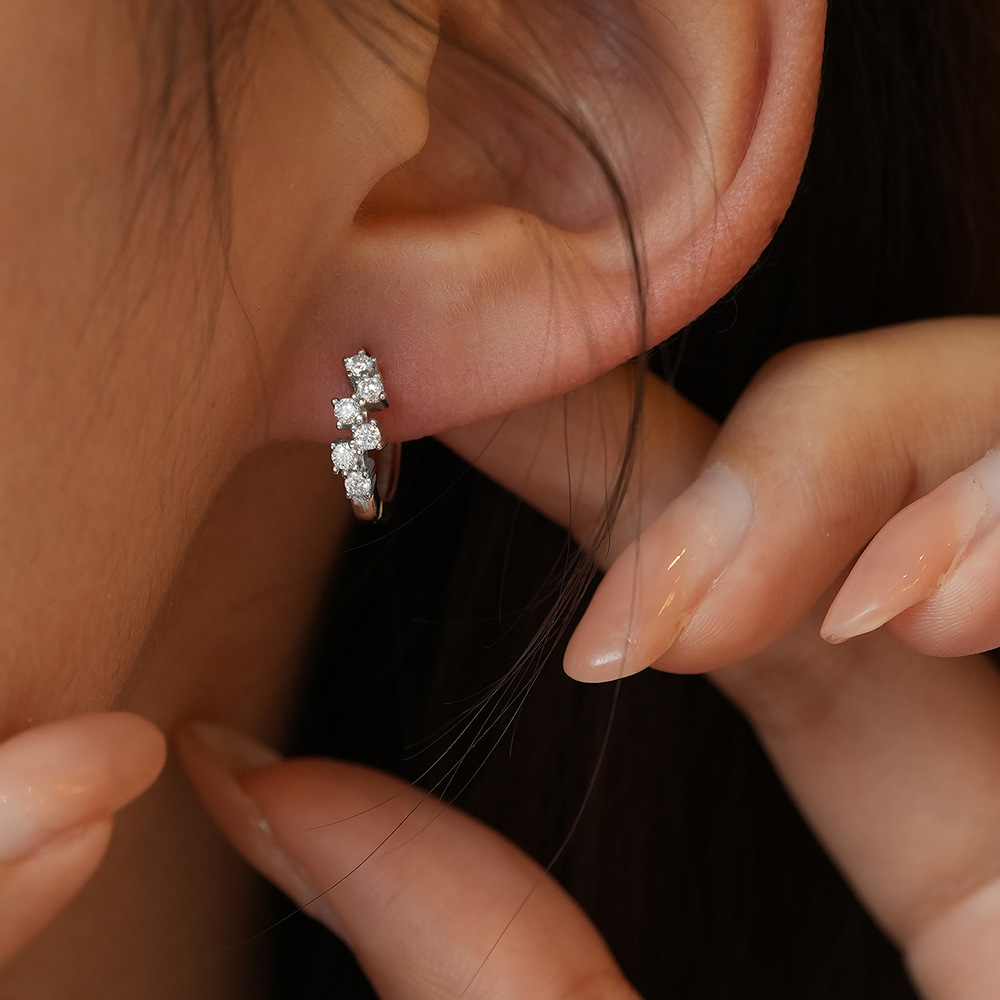
The zigzag hoop photograph shows how the design sits in one wearing example. It does not establish the fit on every ear or provide a millimetre measurement. Pair wearing context with confirmed dimensions and a clear view of the closure if those details are needed. A photograph of one earring also does not establish the selling unit.
A short brief your photographer can follow
Write the brief against one exact product and finish. These are recommended tasks, not a claim that every linked gallery already contains every requested view.
| Image task | Buyer question | Check before publishing |
|---|---|---|
| Main design view | What shape and arrangement am I buying? | Keep the full focal design visible; remove props that obscure it. |
| Construction detail | What does the setting, band, chain or closure look like? | Choose a genuinely different angle rather than another crop of the same view. |
| Worn or handling view | How does this design look in use? | Describe it as context; supply verified dimensions separately. |
| Variant reference | Which finish or option does the image show? | Match the photo to the selected variant; do not reuse another finish without labeling it. |
Publish an accurate image set, not just an attractive one
- Confirm permission to reuse any supplier or model photograph. Access to a gallery does not automatically grant reuse rights.
- Keep an original and record the product/variant association. Avoid edits that change stone count, motif, finish or apparent proportions.
- Use concise alternative text describing what is actually visible. Translate the description for each language; do not stuff keywords or turn alt text into a certificate claim.
- Check crops on mobile, readable captions and the order of the gallery. Keep measurements, material and supplied units in verified text rather than expecting buyers to infer them.
Questions for online retailers
Must every product use the same photo sequence?
No. Start with the view that identifies that design, then answer its remaining questions. A chain necklace and a raised ring setting need different detail views.
Can a worn photograph replace a size specification?
No. Camera angle, anatomy and cropping affect appearance. Confirm the relevant measurements separately.
The three examples are currently published S925 silver and moissanite products in the international catalog. Check the selected options and current availability on their product pages. For purchase terms, use the linked help page; this photography guide does not promise a particular selling result.


